Without Event Monitoring
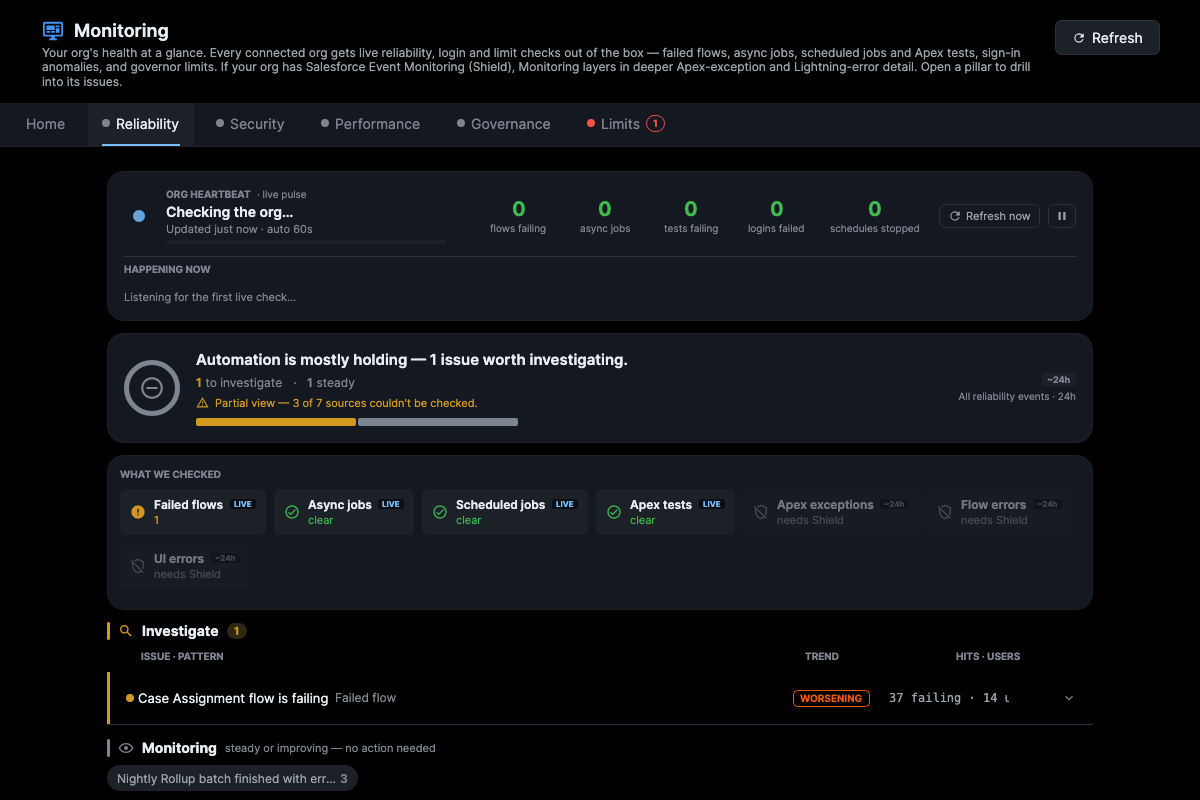
Without Shield — live reliability, login and limit checks still run out of the box. The cards that genuinely need Event Monitoring are greyed “needs Shield,” never faked.
Salesforce stays quiet when a flow dies under the Automated Process user, a batch job “completes” with errors, or logins start failing in a pattern. Black Widow connects to your org and surfaces all of it — ranked by what to fix first — no Shield license, no trace flags, no SIEM. And when you need the deep dive, it stitches every debug log from one user action into a single timeline. 100% on your machine, so org data never leaves it. Free desktop app for Windows, macOS, and Linux.
On your phone? Black Widow is a desktop app for Windows, macOS, and Linux. Tap below to email yourself the link, or copy it for your laptop.
Scan on your laptop to continue.
Connect an org and the Monitoring hub runs live reliability, sign-in, and governor-limit checks out of the box — failed flows, stuck async jobs, scheduled-job errors, Apex-test failures, login anomalies, and storage/API pressure. No Salesforce Shield required. And it’s honest by design: every number opens to the exact events behind it with a one-click query to reconcile the count against your own org, it tells you how fresh the data is, it marks a guess as a “likely cause” instead of a fact, and it never cries “new problem” when it simply has no history to compare against.
The same org, with and without the Event Monitoring (Shield) add-on:
Without Shield — live reliability, login and limit checks still run out of the box. The cards that genuinely need Event Monitoring are greyed “needs Shield,” never faked.
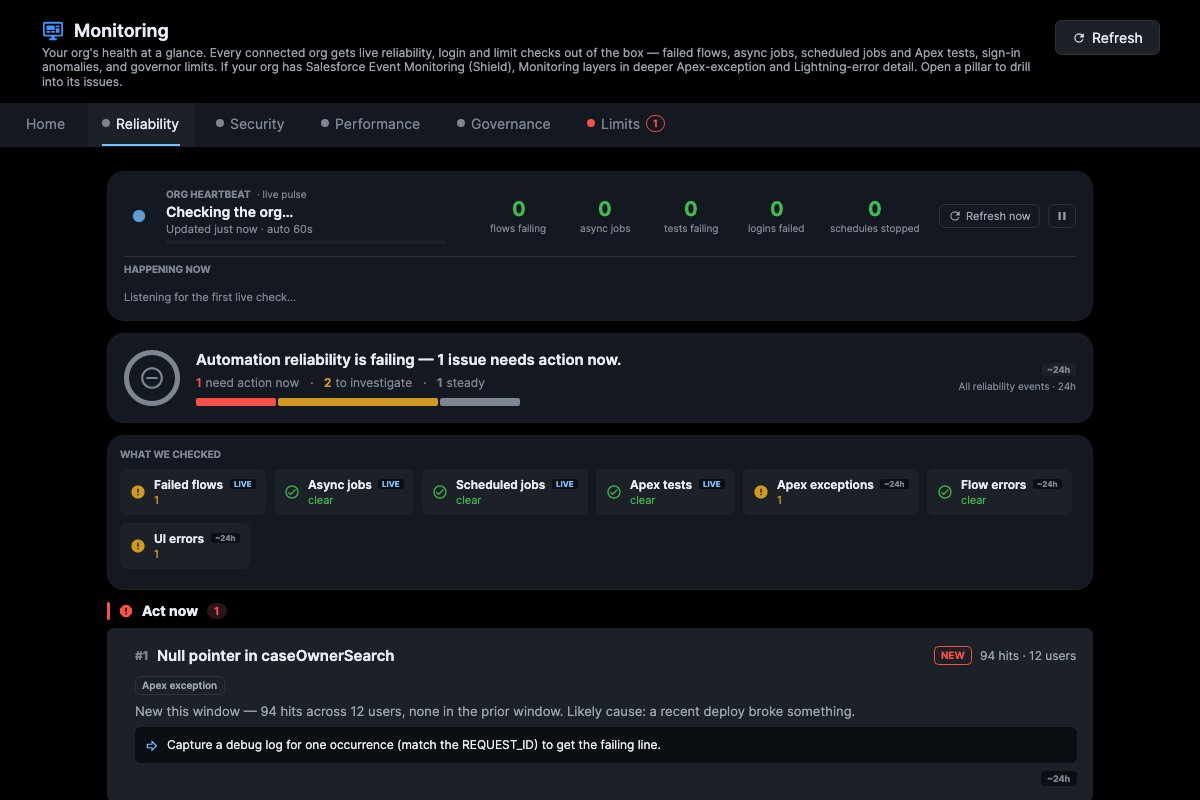
With Shield — the same org now surfaces the Apex exception (94 hits · 12 users, flagged act-now) and Lightning errors too, each with a verdict you can drill into.
One Save in Salesforce can fan out into 13 logs across triggers, flows, async jobs, and UI reloads. Black Widow stitches that chain into a single timeline, separates what users felt from what ran async, and tells you what to fix first — prod logs never leave your machine.
Reading raw logs in any text editor: open log 1, read thousands of lines, repeat 13 times.
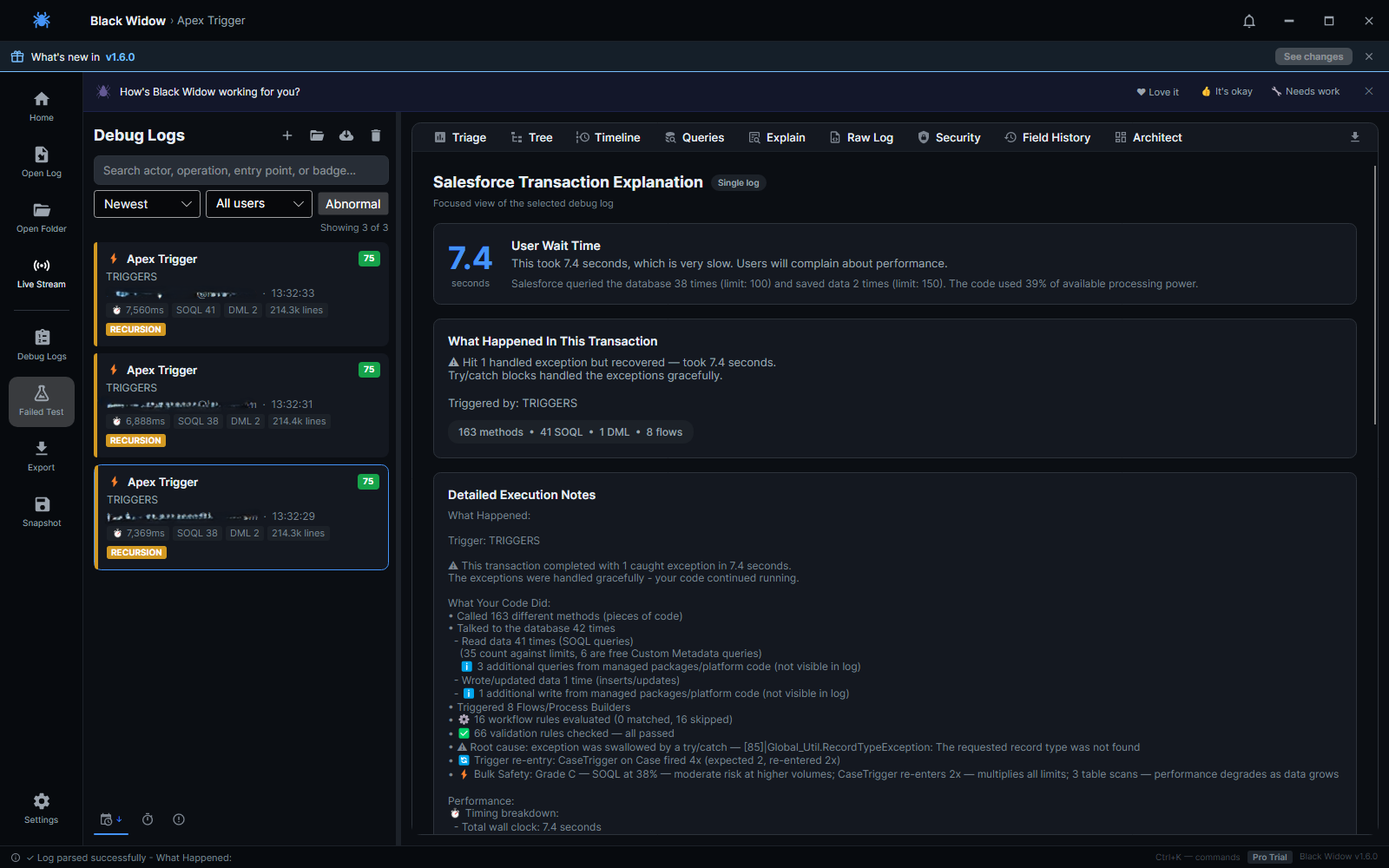
Drag one folder. See the full transaction. Get recommendations in minutes.
Because on a real org you can’t. Prod debug logs are full of PII, org config, and customer data, and most security teams have hard rules against pasting that into an outside model — especially after Drift, Klue, and every other data-exfil headline. Black Widow does the analysis on your machine. No upload, no MCP server, no Salesforce OAuth connection, no IT ticket. Pull your ethernet cable and it still works — you get AI-grade log analysis in the one place cloud AI isn’t allowed to go.
Parsing, timeline, health score, governor-limit math, and recursion detection all run offline with zero network calls.
The “explain in plain English” button is off by default. When on, it uses your own key and sends a structured summary — never your raw log.
Black Widow detects related logs and creates one transaction chain.
Understand what users felt vs what kept running in the background.
Use recommendations to patch trigger recursion, N+1 queries, and serial load bottlenecks.
All logs from one user action, one timeline.
Split backend, frontend, and async tails instantly.
Visual call hierarchy from trigger to flow to callout.
N+1 and governor pressure surfaced before incidents.
Actionable fixes, not just diagnostics.
Flag sensitive values before sharing logs externally.
Flags errors thrown then quietly caught — invisible to Salesforce’s own tooling.
And more: live org connection, exports, and broader workflow support.
One cart transaction can throw dozens of logs and blow past a context window entirely. Black Widow groups the whole mess into one timeline, shows where the time actually goes (sync vs async), and gives you the per-namespace SOQL / DML / CPU the Vlocity namespace burned — accurate even when the managed code hides its per-line detail.
It won’t decode Vlocity’s obfuscated internals — Salesforce suppresses those for everyone, so no tool can. But if what you need is “where is CPQAppHandler eating my time and governor limits,” that’s exactly what it tells you, locally.
Save a snapshot before your change, run it after, and see what actually got worse — SOQL 40→95, a new error, duration regressing, recursion that crept in. Drop your email and I’ll get you into the beta.
I’m Victor — a Salesforce developer who spent years debugging enterprise orgs the way everyone does: a production incident, a folder of debug logs from a single user action, and a text editor at 2 am. The log that mattered was usually truncated at 20 MB — Salesforce silently drops the oldest lines, often including the limit summary you actually need — and security policy meant none of it could go into ChatGPT. Black Widow is the tool I wanted on those nights: it reads every log from the action, stitches them into one timeline, flags truncation instead of pretending the data is complete, and never sends a byte off your machine.
Black Widow is shaped by the people who use it. Every bug report and idea lands in our public GitHub backlog — no account gymnastics, no black hole.
Something broken or wrong? Send a quick repro and we’ll triage it.
Open a bug report →Wish it did one more thing? Pitch it — popular ideas get built.
Suggest a feature →Love it? Confused by something? Tell us what’s working and what isn’t.
Send feedback →Prefer the source? Browse all open issues on GitHub.
Parsing, transaction grouping, recommendations, and AI analysis (your own key) are free forever. Pro adds the deep dive: drill-down tabs (Tree, Timeline, Queries, Field History, Architect), auto log extraction & live streaming from your org, org metadata enrichment, Shield dashboard, report exports, and files over 10 MB — $19/mo or $190/yr, with a 14-day free trial (no card required).
Built by Victor Felisbino, a Salesforce developer who got tired of reading raw logs — every fix and idea lands in a public GitHub backlog.